
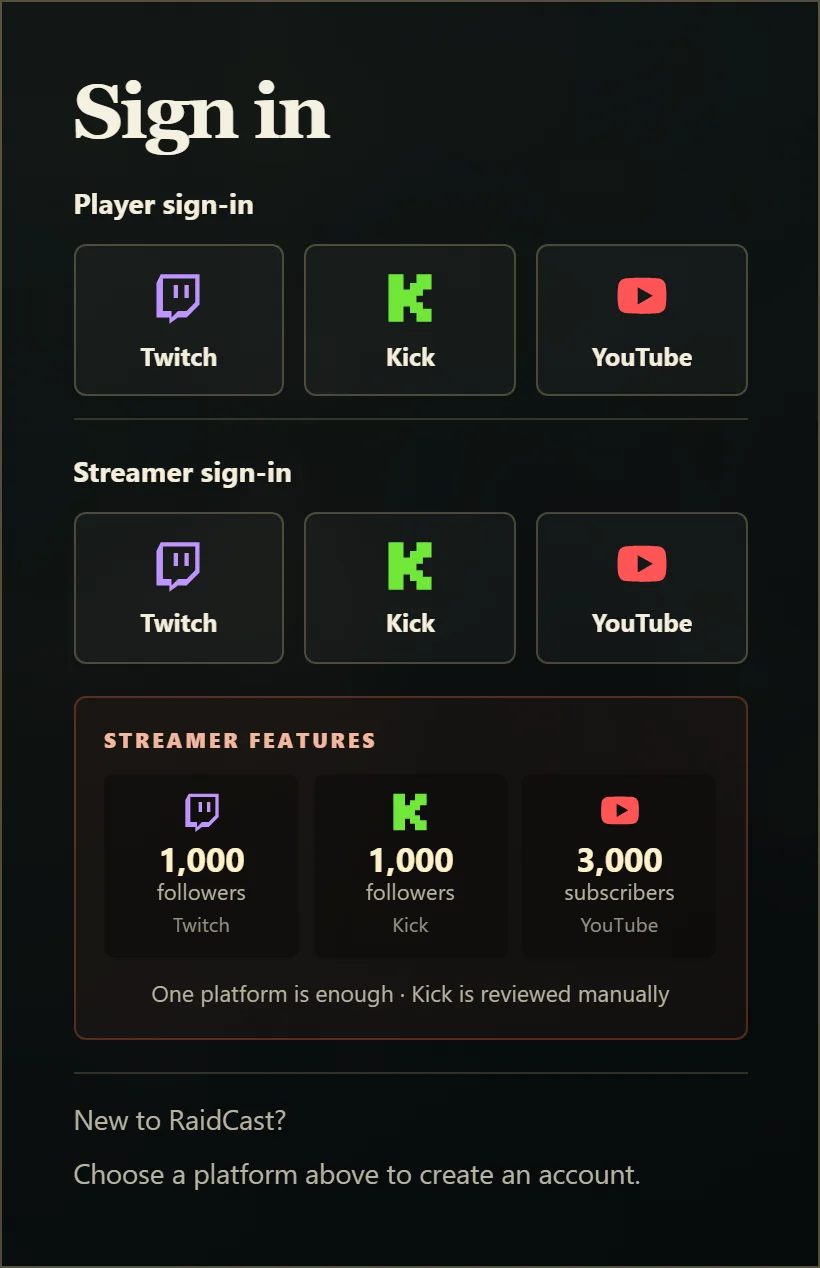
Streamer sign-in
On the home page choose “Streamer sign-in” and the platform you stream on. Streamer sign-in connects your channel chat to the game right away — no separate bot needed.
Streamer features unlock at 1,000 followers on Twitch or Kick, or 3,000 subscribers on YouTube. One platform is enough. Add other platforms in “My connections” so !join works from all your chats while you keep a single city and army.
A permanent chat command
In your city press ⚙ Settings and open the “Stream” tab. In “Permanent campaign command” set a short word such as ProF: 3–24 Latin letters, digits or _.
Viewers now always type the same !join ProF, and it leads to your current recruitment. Pin it in chat, your channel description or bot commands and keep it from stream to stream.
The OBS overlay
- On the same “Stream” tab press “Copy OBS link”. The link is copied immediately and never displayed, so it can't leak on stream.
- In OBS, in the “Sources” panel, press + and choose “Browser”.
- Paste the link into the URL field, set width 440 and height 650, press OK.
- Drag the overlay into a corner of your scene. The background is transparent and no plugin needs installing.
The link only shows your roster, but keep it off screen and don't share it. If it ever appears on stream, tell us via “Contact”.
What viewers see
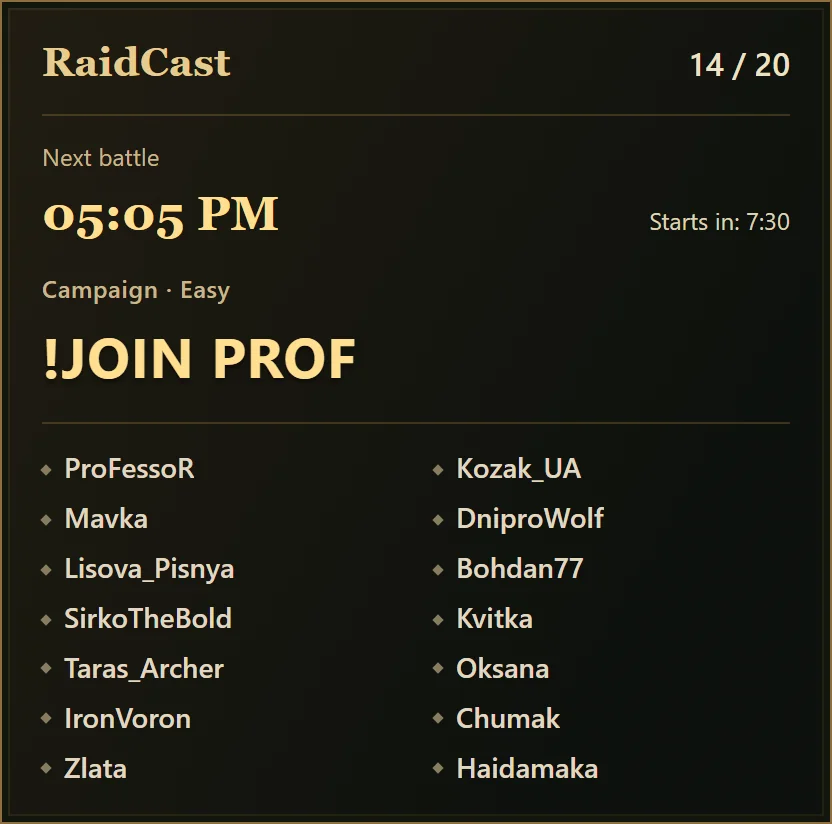
While registration is open, the overlay shows the campaign difficulty, a large join command and the players already in the battle roster — up to 20 places. It updates by itself without reloading the source.
Use “Next battle time” on the “Stream” tab to schedule the start in advance. The overlay shows the time and a “Starts in” countdown even before registration opens — handy for announcing at the start of a stream.
Your first recruitment
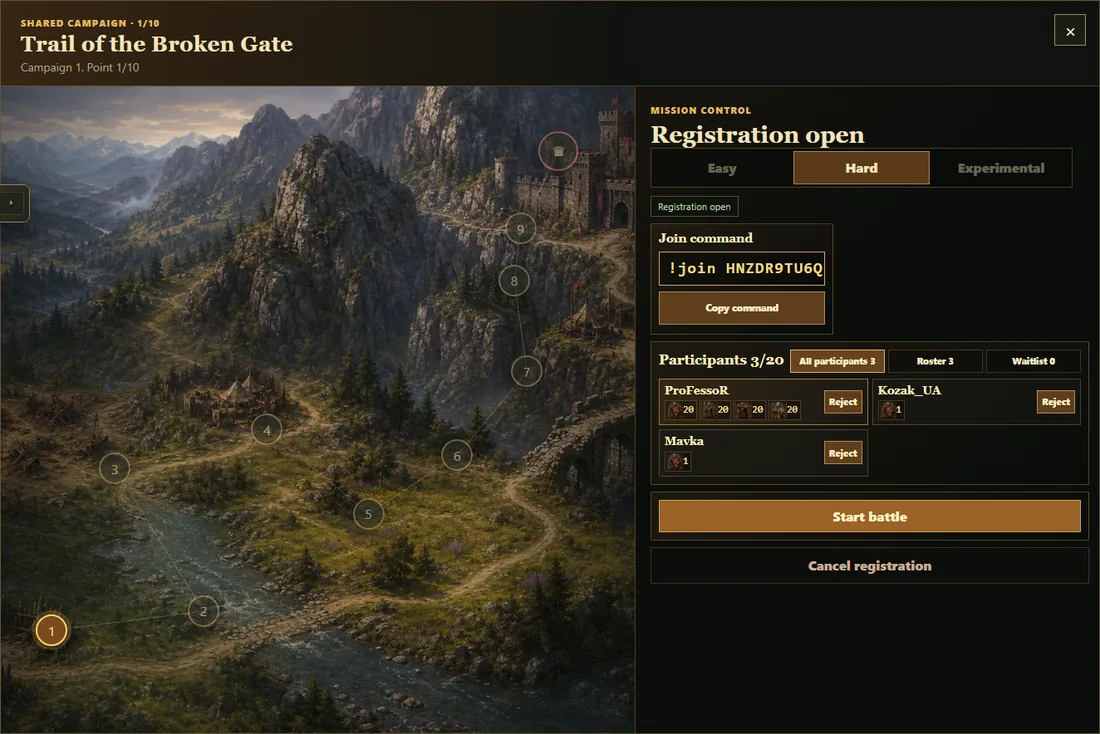
Press “Campaign” in your city, pick a point on the map and a difficulty, then press “Open registration”. Your own army joins automatically and has a guaranteed place.
Registration has no timer: you decide when it's enough. Give chat a few minutes, repeat the command out loud — then go to battle.
How viewers join
A viewer types !join ProF in chat (or the recruitment code from the mission window). !leave withdraws the entry until the roster is locked.
- Has a RaidCast city — fights on your side with their active army template.
- No city — appears as a beggar with their nickname on the enemy side. Up to 50 such guests per recruitment. A free way to take part from minute one.
- No places left — the player goes to reserve. Participants of the last battle get lower priority, so the reserve has a chance next time. Channel VIPs and subscribers get a priority bonus.
Kozak_UA !join ProFWith their own army on your side
Viewer_42 !join ProFAs a beggar on the enemy side
Mavka !join ProFIn reserve — a chance next battle
Battle and rewards
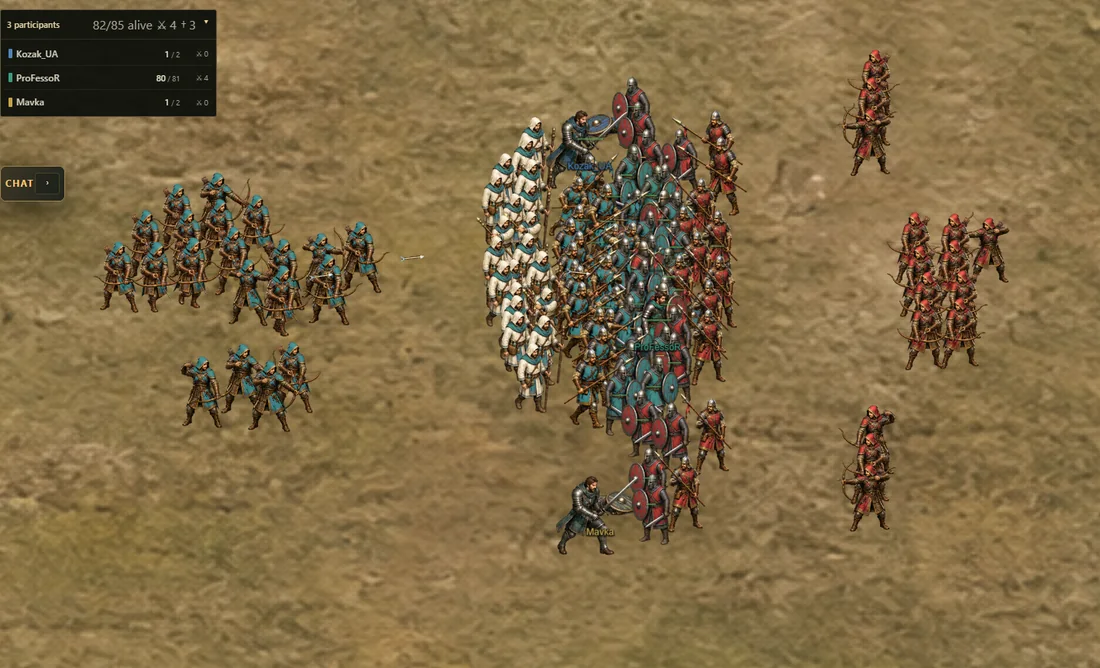
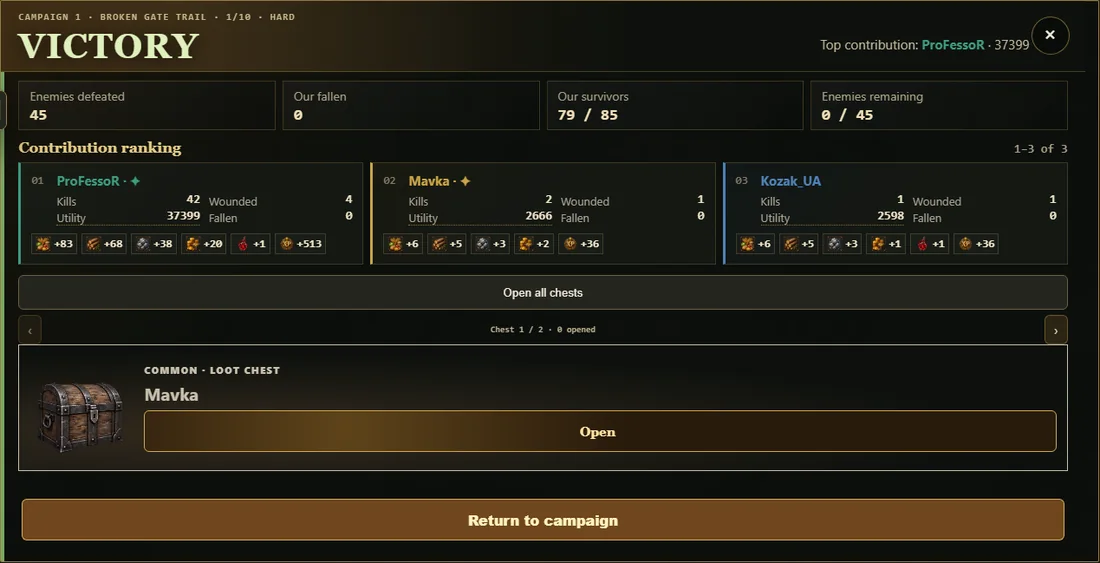
Check the roster and press “Start battle”. Every participant sees the battle, followed by a summary: kills, top contribution and each player's rewards.
A victory unlocks the next campaign point. Each new recruitment is a new chance for the reserve, so a steady loop works well: recruitment → battle → summary in chat → next recruitment.
Working with your audience
Set “Next battle time” at the start of the stream: an on-screen countdown keeps attention and gathers people before the start.
Pin !join ProF in chat, your description and bot commands. Viewers remember one command instead of a new code each time.
Remind chat that anyone can play without signing up — as a beggar for the enemy. Those who want to fight on your side create a city from the home page.
Call out nicknames on the field, rescue or tease the beggars, announce the top contributor — viewers come to see their name on screen.
If places ran out, say that those who waited get priority next time. It keeps people around for the next recruitment.
Short recruitments and regular battles work better than one long gathering. Alternate battles with reward breakdowns and chatting.
Troubleshooting
It appears only during open registration or when a next battle time is set. Check the source size is 440 × 650.
Check that registration is open, the command has no typos, and a player with a city has a template with ready troops selected. A plain message without the command does not register.
Open “My connections” on the home page. If a platform says it needs reconnecting, connect it again.